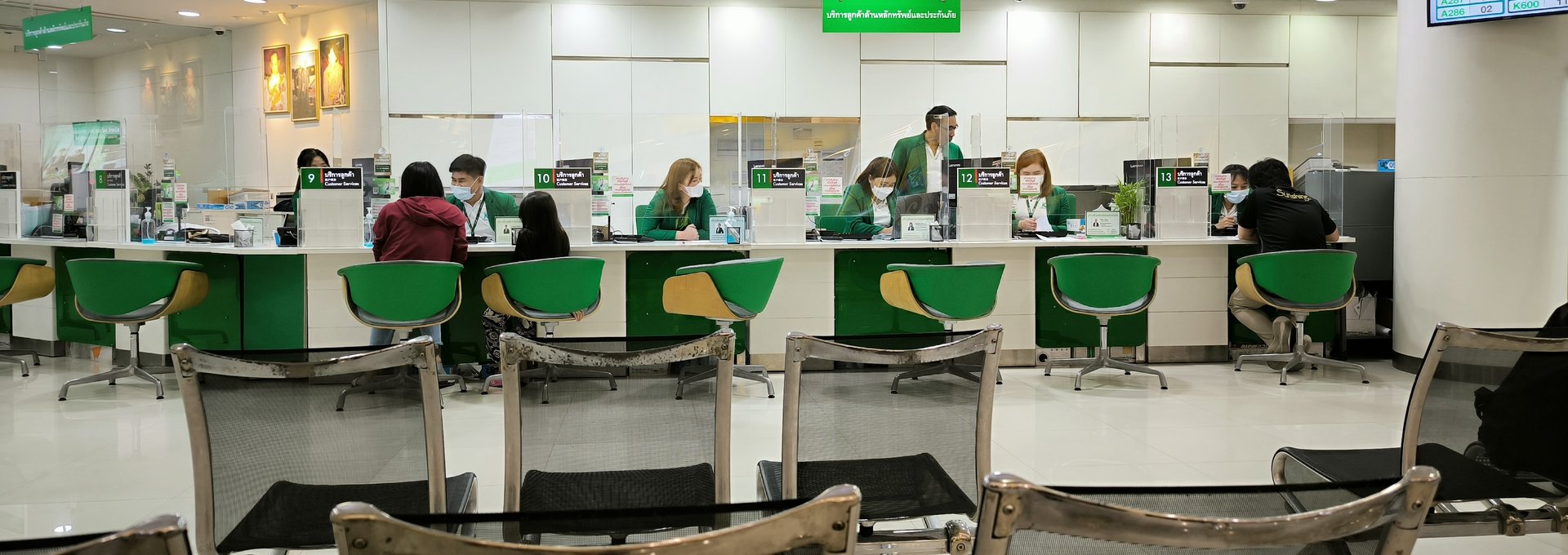

Which Thai banking app works best for foreigners, how to set it up, and what to do when a SIM mismatch, a new phone or a face scan locks you out.
In Thailand, your bank app is your wallet. Noodles, rent, the electricity bill: you pay for all of them the same way. Open the app, scan the QR code, done.
For foreigners, the app is also the fragile part. Get a new phone, renew your passport or let your SIM lapse, and one morning the app simply won’t let you in. Then it’s off to the branch.
I use three Thai bank apps regularly, and right now the SIM rules and face scans cause the most headaches. This guide shows you which app I’d pick, how to set it up, and how to keep it working.
Disclaimer: Some links in this article go to our partners, and we may earn a commission if you use them. It costs you nothing extra, and we only recommend services we'd use ourselves. Read more in our Advertising Disclosure.
Contents
- Key Takeaways
- Which Bank App Is Best for Foreigners
- What You Need Before You Start
- How to Set Up Your Bank App
- Face Scans
- Keep Your SIM Active
- If Your App Gets Suspended
- New Phone, New Number or New Passport
- Using Your App Abroad
- What's Changing Next
- FAQ
- Can I use a Thai bank app on a tourist visa or DTV?
- Why did my app stop working with no message?
- What proof do banks accept that the SIM is mine?
- How long until my app works again?
- Can I fix a locked app from outside Thailand?
- Do I have to go to the branch when I change phones?
- I renewed my passport. What do I update?
- Do I have to register my face before a big transfer?
- Can I use my spouse's or a family member's SIM?
- Does a rooted phone or a VPN block the app?
- Can I send money abroad from the app?
- Is my money safe if the app is suspended?
- Sources Cited
Key Takeaways
- K PLUS from Kasikornbank is my pick for foreigners: fast, easy and it pays by QR in China and Hong Kong.
- Your Thai SIM must be registered to the same passport number as your bank app, or the app gets suspended.
- Keep your Thai SIM active at all times.
- Large transfers need a face scan, and if the bank doesn’t have your face photo yet, you register it at a branch.
- A suspended app usually doesn’t freeze your money. You fix it with a receipt from your phone network and a branch visit.
- If the app locks while you’re abroad, there’s usually no fix until you’re back in Thailand, so prepare before you fly.


Which Bank App Is Best for Foreigners
K PLUS from Kasikornbank (KBank) is the best Thai banking app for most foreigners. It’s fast, it’s easy, and KBank says it’s the most-used mobile banking app in Thailand.
I use K PLUS, Bangkok Bank and Krungthai regularly. They all move money, but they’re not equally good:
- K PLUS (Kasikornbank): good. The best of the three, by a distance. It’s quick, the menus make sense, and it even works abroad. I can scan QR codes to pay in China and Hong Kong straight from the app.
- Bualuang mBanking (Bangkok Bank): good. It does everything I need, and I have no complaints.
- Krungthai NEXT (Krungthai Bank): not great. It gets the job done, but sometimes it’s slow, and the steps make you hunt around more than they should. I wouldn’t choose Krungthai for the app.
- SCB Easy (Siam Commercial Bank): I don’t use it, so no verdict from me. It does have one feature I like the sound of. You can verify a new phone inside the app, without a trip to the branch.
In practice, your choice of app is a choice of bank. A lovely app is no use if the branch won’t open an account for your visa. Our guide to opening a Thai bank account compares the banks.
Our Pick: K PLUS. If a KBank branch will open an account for you, say yes. Bangkok Bank is a good second choice.
What You Need Before You Start
To use a Thai banking app, you need a Thai bank account, a Thai SIM registered to your current passport, and a phone the apps still support. Miss one and the setup stalls.
- A Thai bank account: KBank won’t open a savings account on a tourist visa, a visa on arrival or a visa exemption. It asks for a passport and a non-immigrant visa, plus documents such as a work permit. (Verified November 2026.)
- A Thai SIM in your name: the SIM has to be registered to the same passport number you give the bank. More on this below, because it matters.
- A recent phone: since 14 February 2026, Thai banking apps only support iOS 14 and Android 10 or newer, according to the Thai Bankers’ Association. Your old backup phone may be retired. (Verified November 2026.)

Expect questions about your visa. Bank officers regularly ask about it when you open an account. Bring your passport with your current visa or extension stamp, plus your work permit or other supporting documents if you have them.
Before You Go: Check your SIM registration first. It takes a minute. On AIS, send an SMS with B, a space and your passport number to 4444161. True and dtac users can get a service certificate letter in the True app.
How to Set Up Your Bank App
The easiest way to set up a Thai banking app is at the branch, on the same day you open your account. The staff do this every day, so let them walk you through it before you leave.
- Download the bank’s official app from the App Store or Google Play.
- Have your Thai SIM in the phone. The app sends one-time passwords to that number.
- Activate the app with the staff, using your passport and bank book.
- Switch the app to English in the settings.
- Register your face while you’re still at the branch.
- Link your account to PromptPay so you can pay and receive money by QR code.
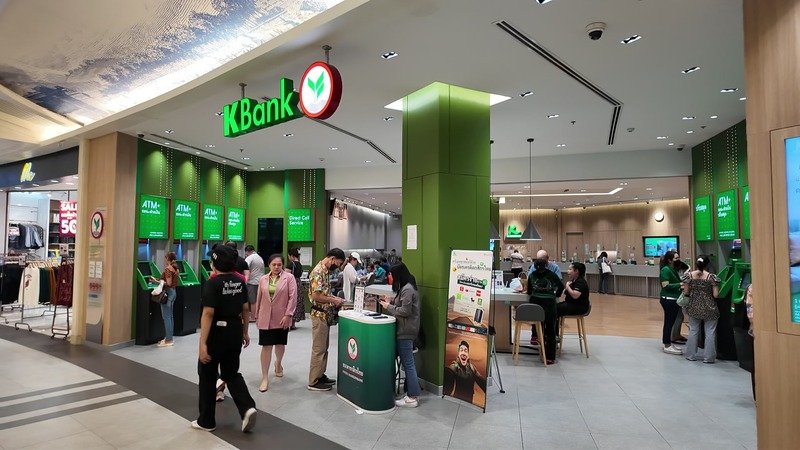
Don’t skip the face registration. You’ll need it the first time you send a large transfer, and rent day is a bad day to find that out.
Once PromptPay is linked, you can pay almost anywhere, from the condo office to the fruit stall. Our PromptPay guide shows how QR payments work.
Tip: Before you leave the branch, log in once and make a small test transfer. A problem is much easier to fix while the staff are still sitting in front of you.
Face Scans
Thai banking apps ask for a face scan on large transfers. On my own apps, it kicks in on transfers over THB50,000.
Is it annoying? Yes. Is it bad? No. I’d rather scan my face than lose THB50,000 to a scammer who got hold of my phone. The bad part is the setup for foreigners, which still means a branch visit.
SCB has written its rules down for foreign customers, and they show the usual triggers. Since 20 June 2026, SCB Easy asks foreigners to verify their face for:
- Large transfers: a transfer, top-up or bill payment of THB50,000 or more each time.
- Daily totals: every time your total reaches THB200,000 in a day.
- Higher limits: raising your transfer limit to THB50,000 or more.
(Verified November 2026.) Transfers between your own SCB accounts don’t count.
The app can only check your face if the bank already has your photo. If it doesn’t, you register at a branch first. SCB says any branch will do. Bring your passport and bank book.

Don’t worry if the scan fails the first time. In the expat forums, people say it often takes several attempts. I’d take off your glasses, find good light and hold the phone at eye level.
Good to Know: SCB registers faces for foreign customers at its branches. If your branch can’t do it, ask whether another branch can.
Keep Your SIM Active
Treat your Thai SIM like a second passport. If you lose your Thai number, your bank app gets hard to use, so keep the SIM active at all times.
My brother learned this the hard way. He lives in Japan and has a Bangkok Bank account. He lost the Thai SIM that was tied to it, and now he can’t use the account at all.
There’s no fix from Japan. To get it working again, he has to fly back to Thailand with his bank book and visit the original branch where he opened the account. That’s a plane ticket to fix one lost SIM card. Bad.
The reason is a rule that ties your SIM to your app. For foreigners, KBank says the mobile banking user and the SIM card owner must have the same registered passport number. If they don’t match, the bank suspends your mobile banking.
The rule itself makes sense. The bank wants the person using the app to be the person who owns the SIM, which makes life harder for scammers. But for foreigners it’s a pain, because a SIM that was fine for years can suddenly fail the check.
The rule came with Thailand’s anti-scam crackdown. The Nation reported in 2025 that about 700,000 foreigners whose phone details didn’t match their mobile banking name were due to be re-checked. In the forums, a mismatch usually comes from one of these:
- A renewed passport: you updated the bank but not your phone network, or the other way round.
- A SIM bought on an old passport: one expat’s airport SIM was still registered to an old passport number.
- A SIM in someone else’s name: the phone number was set up under a spouse’s name.
- A lapsed number: the SIM wasn’t kept active, so the number no longer matched.
On prepaid, top up regularly so the number never expires. And write down every Thai number you’ve had. One expat put it plainly in a forum thread: “Keep tabs of your old number because the bank will ask you.”
Heads Up: KBank lets you use a SIM registered to a family member, such as your registered spouse, but only after you visit a branch with proof of the relationship, like a marriage certificate.
If Your App Gets Suspended
A suspended Thai banking app usually doesn’t mean a frozen account. In the SIM cases KBank describes, only mobile banking is suspended. Forum posters keep reassuring each other with the same line: “It’s only the phone app that is suspended not the account.”
You fix a suspended app at your phone network first, then at your bank:
- Your phone network: go to an AIS, True or dtac shop with your passport. Ask them to register the SIM to your current passport number. Then get proof that the number is yours, such as a tax invoice, a phone bill or a receipt. One expat topped up THB100 at AIS just to get a receipt.
- Your bank branch: bring your passport, the receipt from the phone network and your bank book. The staff update your details and often take a new face photo.
Before you queue at the branch, KBank customers can check their status on LINE. Add the official account @kbanklive, type @checksim and tap “Check Mobile Number”.
The wait is the bad part. In 2025 forum threads, some people got the app back the same day, others waited five to seven days, and one was told to expect two weeks. I’d plan for a few days without the app and keep some cash or a card handy.
Good to Know: Bring your current visa or extension stamp to the branch too. Officers ask about it when you open an account, so they may ask again.
New Phone, New Number or New Passport
Changing your phone, your Thai number or your passport can lock your Thai banking app. Each change needs its own fix, and the order matters.
New Phone
A shiny new phone usually means proving who you are again. SCB lets you verify your identity on a new device inside the SCB Easy app. With other banks, you may need a branch visit. One expat said Krungthai made them go in and scan their face again after a phone change.
Keep the old phone working until the app runs on the new one. I wouldn’t wipe it or sell it the same day.
New Number
If you change your Thai number, tell every bank you use. KBank lets you change the number linked to your app. Write down your old number, because the bank may ask for it.
New Passport
A new passport has to be updated in two places: your phone network and your bank. Do both, or the passport numbers won’t match and the app gets suspended. I’d go to the phone network first, get the receipt, then head to the bank.
Even a routine app update can trigger a check. In late 2025, expats in the forums reported that a K PLUS update asked them to do facial recognition at a branch before the app worked again.
Common Mistake: Updating your passport at the bank but not at AIS or True. The bank checks the passport number on your SIM, so both have to match.
Using Your App Abroad
This is where K PLUS is really good. When I’m abroad, I can scan to pay in China and Hong Kong straight from the app, using the money in my account. No currency exchange counter needed.
KBank calls the feature K+ Go Inter, and it covers these QR payments:
- China: Alipay, UnionPay QR and Weixin Pay (WeChat Pay), with no card to link and no extra app to download.
- Hong Kong, Singapore and Malaysia: scan to pay with K+ Go Inter at shops that accept it.

The weak point abroad is your SIM. The app still needs your Thai number for one-time passwords, so top it up and switch on roaming before you leave.
Getting help from overseas is bad, though. If the app locks while you’re abroad, there’s usually no fix until you’re back. Expats locked out abroad mostly get the same answer. One put it plainly: “Need to visit your bank branch inside Thailand and register for facial recognition.”
Before You Fly
- Check your SIM is registered to your current passport number.
- Register your face at the branch if you haven’t yet.
- Top up your Thai SIM and turn on roaming.
- Don’t change phones or reinstall the bank app while you’re away.
- Take a backup card, such as a Wise card or your home bank’s card.
What’s Changing Next
More checks are coming, and I think that’s mostly good for security. The Bank of Thailand wants to phase out SMS one-time passwords for transactions, and its draft rules on digital banking security, released for comment in July 2026, would also tighten face checks for large transfers.
The rules aren’t final yet, and the draft doesn’t say when banks would have to switch. Expect your app to change how it confirms payments at some point. I’ll update this guide when the final rules come out.
FAQ
Can I use a Thai bank app on a tourist visa or DTV?
Only if a bank will open an account for you, and that’s the hard part. KBank won’t open one on a tourist visa, a visa on arrival or a visa exemption. If you’re on a DTV, ask the branch before you go in, because officers will want to see your visa.
Why did my app stop working with no message?
Check the SIM first. If the passport number on your SIM doesn’t match the one at the bank, the app gets suspended. Start with your phone network, then go to the bank.
What proof do banks accept that the SIM is mine?
KBank accepts a tax invoice or phone bill, or a confirmation message from the network. On AIS, foreigners send B, a space and their passport number to 4444161. On prepaid, ask the shop for a tax invoice.
How long until my app works again?
Anywhere from a few hours to a couple of weeks. In 2025 forum threads, it ranged from the same day to about a week, and one person was told two weeks. It depends on the bank and the branch.
Can I fix a locked app from outside Thailand?
Usually not. Most fixes need a face scan or document check at a branch in Thailand.
My brother lost his Thai SIM while living in Japan, and the only fix is to come back with his bank book to the Bangkok Bank branch where he opened the account. That’s why I’d sort out your SIM and face registration before any long trip.
Do I have to go to the branch when I change phones?
Not always. SCB lets you verify a new device in the app. At other banks it can mean a branch visit, so ask before you wipe the old phone.
I renewed my passport. What do I update?
Both your phone network and every bank you use. If only one of them has the new passport number, the numbers won’t match and the app locks.
Do I have to register my face before a big transfer?
Yes, if the bank doesn’t have your face photo yet. The app can’t check your face without one, so register it at a branch before you need to send THB50,000 or more.
Can I use my spouse’s or a family member’s SIM?
At KBank, yes, if they’re your registered spouse, a parent, a child or a sibling. You’ll need to visit a branch with proof of the relationship, such as a marriage certificate.
Does a rooted phone or a VPN block the app?
A rooted or jailbroken phone does. SCB says these devices can’t use SCB Easy, and I’d expect other banks to block them too. If an app refuses to open, I’d switch off the VPN and try again.
Can I send money abroad from the app?
Some apps can, but large international transfers also need a face scan. For regular transfers, I’d use Wise. Our guide to Wise in Thailand covers the 2027 changes.

Is my money safe if the app is suspended?
Usually, yes. In the SIM cases KBank describes, only mobile banking is suspended and the account stays as it is. Some people report whole accounts frozen over visa or detail checks, which is a separate problem. For that, see our guide to a suspended Thai bank account.
Sources Cited
- KBank, same registered name: SIM and app must share a passport number, suspension, documents, LINE @checksim, AIS SMS check, family exception.
- KBank, foreign customers: no accounts on tourist visas, visa on arrival or visa exemption; required documents; K PLUS most-used.
- SCB, face recognition for foreign customers: triggers from 20 June 2026 and branch face registration.
- SCB, verify identity on a new device: in-app new-device check.
- SCB, root and jailbreak: rooted or jailbroken devices can’t use SCB Easy.
- KBank, paying in China with K PLUS: Alipay, UnionPay QR and Weixin Pay from your account.
- KBank, paying in Hong Kong, Singapore and Malaysia: K PLUS scan to pay abroad.
- The Nation, app support from 14 February 2026: iOS 14 and Android 10 minimum.
- The Nation, mobile banking security check: about 700,000 foreign customers with mismatched phone details due for re-checks (2025).
- Tilleke & Gibbins, Bank of Thailand draft rules: draft rules phasing out SMS one-time passwords (July 2026).