Did you know that you now need to submit the Thailand Digital Arrival Card when entering Thailand? Here’s how to do it.
When you come to Thailand, you now need to complete an immigration form online. It’s known as the Thailand Digital Arrival Card, or TDAC for short. It replaces the old paper arrival card, known as the TM6 form. Whether you are just visiting for a short trip or moving to Thailand, you must submit this document.
This means you no longer need to ask for an arrival card and fill it out by hand. Instead, you can submit it online before coming to Thailand and show it to an immigration officer when you arrive.
The TDAC should make immigration faster and smoother.
In this article, we’re going to show you everything you need to know about the Thailand Digital Arrival Card, including what to do, how to file it, and what to expect.
Disclaimer: Information in this guide is based on official sources and updates available as of August 2026. We’ll keep updating this article as more details become available or if the process changes after the rollout.
Disclaimer: Some links in this article go to our partners, and we may earn a commission if you use them. It costs you nothing extra, and we only recommend services we'd use ourselves. Read more in our Advertising Disclosure.
Contents
- Key Takeaways
- Who Needs to Submit the TDAC?
- How to Fill Out the TDAC
- Entering Thailand by Land or Sea
- Common TDAC Mistakes to Avoid
- What Happens at Immigration, and How to Fix a Mistake After You Submit
- Facial Recognition and Automated Gates at the Airport
- Frequently Asked Questions
- Can One Person Submit for the Whole Family?
- Is it possible to update the TDAC after it’s submitted?
- Do I still need to file a paper arrival card (TM6)?
- What happens if you forget to submit the TDAC before arrival?
- Is the TDAC a Visa?
- Do I need a TDAC if I'm entering Thailand by land or sea instead of by air?
- Are Border Pass holders exempt from the TDAC?
- What if I don't have a smartphone or internet access when I arrive?
- Can I reuse the same TDAC for more than one trip?
- What if my flight or hotel changes after I've already submitted the TDAC?
- Final Advice
- Sources Cited
Key Takeaways
- Starting May 1, 2025, you’ll need to file the Thailand Digital Arrival Card (TDAC) before entering Thailand.
- You can complete it online within 72 hours before your arrival.
- You can also submit it at TDAC kiosks at international airports (though it’s not recommended).
- Or, you can even do it on your smartphone while waiting in line at immigration.
- Once it’s done, just screenshot the confirmation and show it to the immigration officer.
- Thai airports now have facial-recognition gates, but if you hold a long-stay visa, you’re advised to use a staffed immigration counter instead.


Who Needs to Submit the TDAC?
Every foreigner traveling to Thailand needs to file the Thailand Digital Arrival Card online, whether arriving by air, land, or sea, and regardless of visa type. This includes those entering on a tourist visa or a Destination Thailand Visa (DTV). DTV holders still must file the TDAC.
This includes children and infants. Every traveler, regardless of age, needs their own TDAC.
There are five main exceptions:
- You are a Thai national.
- You are in transit and don’t need to pass through immigration.
- You are an aircraft crew member.
- You are on a technical landing (a flight that stops without passengers clearing immigration).
- You are entering on a Border Pass, a separate bilateral document used for local cross-border movement in specific border areas.
How to Fill Out the TDAC
There are three ways you can file the TDAC: online, through the THIM mobile app, or at the international airport when you arrive.
Let’s take a closer look at each option.
Online
This is our recommended way. It can be done in just a few minutes and saves you hassle at the airport. This means that after you arrive in Thailand, you can go straight to immigration.
The required information is pretty much the same as the paper form.
Tip: Have your passport details and travel information ready before you start. The system doesn’t allow you to save progress, so you’ll need to complete it in one session (about 3 to 5 minutes).
Here’s how to do it step-by-step:
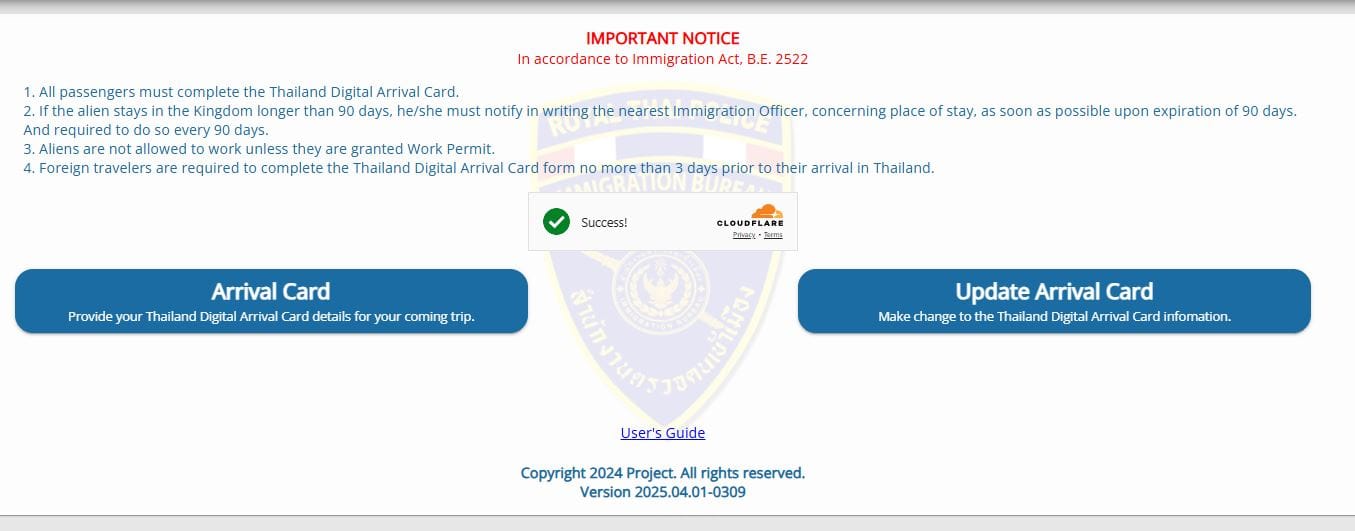
- Go to tdac.immigration.go.th
- Click “Arrival Card”
- Enter your passport information such as name, passport number, occupation, and so on
- Enter travel details including arrival date, airport, flight number, and accommodation address in Thailand
- If you’re coming from a country that requires health control (such as certain countries in Africa, South America, and the Caribbean (yellow fever risk areas)), you need to complete the health declaration form and upload a vaccine certificate*
- Add your email address
- Click “Add Other Traveler” if you want to submit the TDAC for other people in your group.
- Review the information to make sure it’s correct
- Submit the form
- Save the confirmation (either as a screenshot or printed copy)
Important: The official TDAC is completely free. Thai authorities have issued official warnings about fake websites that charge fees between US$10 and US$100 for TDAC processing. Only use the official site at tdac.immigration.go.th. Any site asking for payment is a scam.
Tip: After submitting, check your spam or junk folder if you don’t receive the confirmation email. The TDAC email sometimes gets filtered automatically.
*You can find more details on the Thailand Ministry of Foreign Affairs website
Once at immigration, just show the screenshot or printed copy to the officer. In many cases, the immigration officer just glances through it.

Watch this video for step-by-step instructions:
Via the THIM App
Thailand’s Immigration Bureau is rolling out its own app, THIM (Thailand Immigration Management), which lets you file the same arrival card straight from your phone. Instead of typing everything in, you scan your passport with the phone camera and the app fills in most fields for you, then you add your trip and accommodation details. It’s designed to take about three minutes.
Note: The THIM app is still in a public pilot rather than a full launch, but travelers are already using it to file their TDAC successfully. If the app gives you any trouble, the website at tdac.immigration.go.th stays open as a reliable fallback.
Here’s how to file through the app:
- Download the THIM app from the App Store (iPhone) or Google Play (Android)
- Register once with your email, then scan your passport so the app can read your details automatically
- Add your trip and accommodation details, plus the health declaration if it applies to you
- Submit within three days (72 hours) of your arrival, the same window as the website
- Save the confirmation the app sends you
If you travel in and out of Thailand regularly, filing the TDAC through the THIM app is the better option. The app saves your personal and passport details, so you don’t have to enter them again every time you file a new arrival card.
International Airports
Another way to submit the TDAC is at international airports. There are kiosks at five international airports: Suvarnabhumi, Don Mueang, Phuket, Chiang Mai, and Hat Yai, set up before the passport control area. The process is the same as doing it online. However, this time, there are airport staff members available to help you complete it.
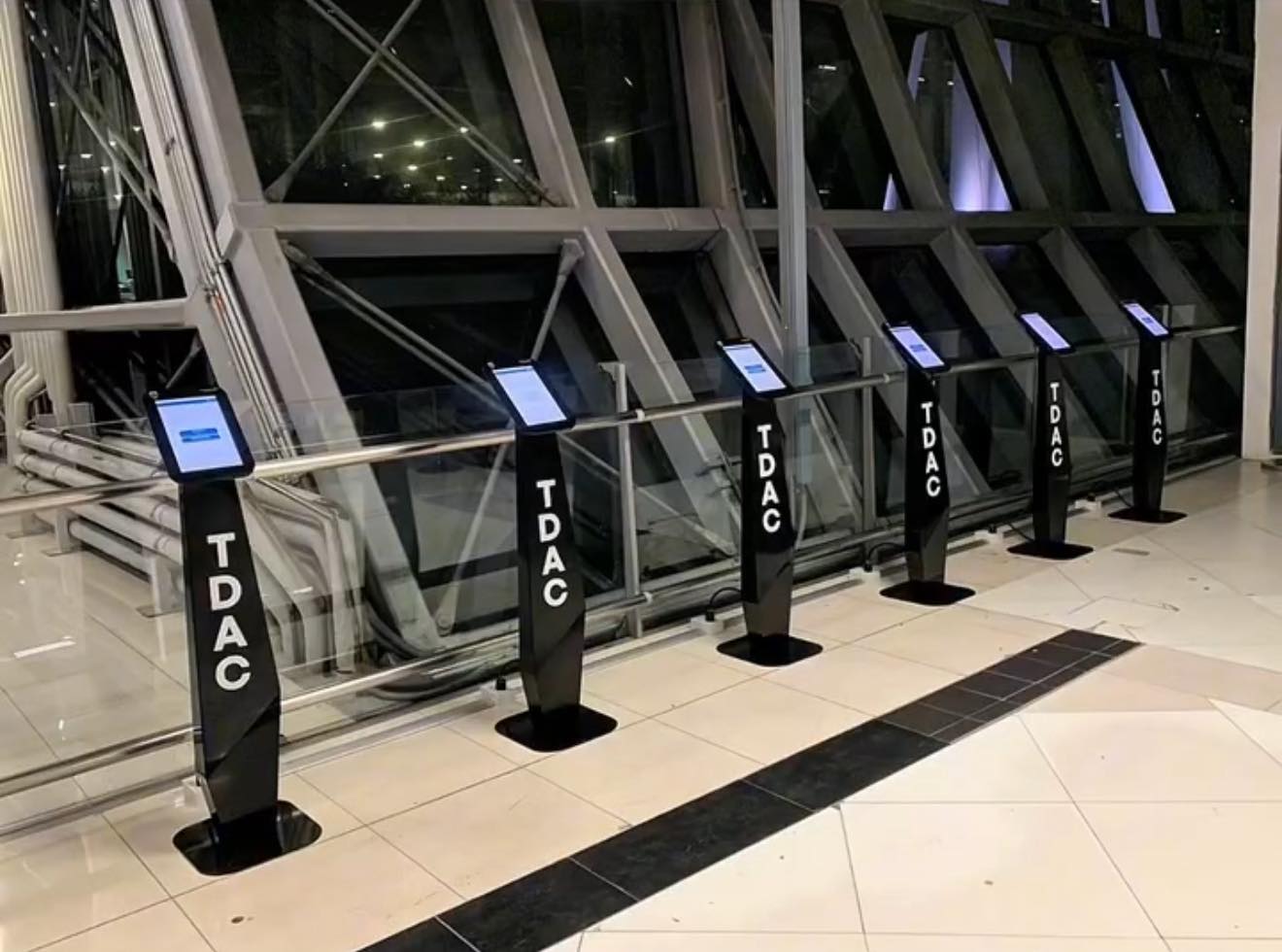
Important: It’s reported that the queues at TDAC kiosks are long and disorganized due to the high number of people arriving in Thailand. So, it’s better to complete it before your arrival, allowing you to breeze through immigration. Another option is to install an eSIM on your phone before your arrival, so you’ll have internet access and can submit the TDAC on your phone while waiting in line at passport control.
When to Submit the TDAC
You can submit your TDAC online anytime within three days (72 hours) before your arrival in Thailand. For example, if you’re landing on May 5, you can submit it as early as May 2.
If you haven’t submitted it beforehand, you can still do it on the day of your arrival at the airport kiosks before passport control.
Entering Thailand by Land or Sea
The TDAC isn’t just for people flying in. Thai Immigration’s own guidance is explicit on this: everyone entering Thailand by land, air, or sea has to submit it, with the same exceptions. If you’re crossing a land border for a visa run or border run, or arriving by ferry or cruise ship, the rule is the same one that applies at the airport.
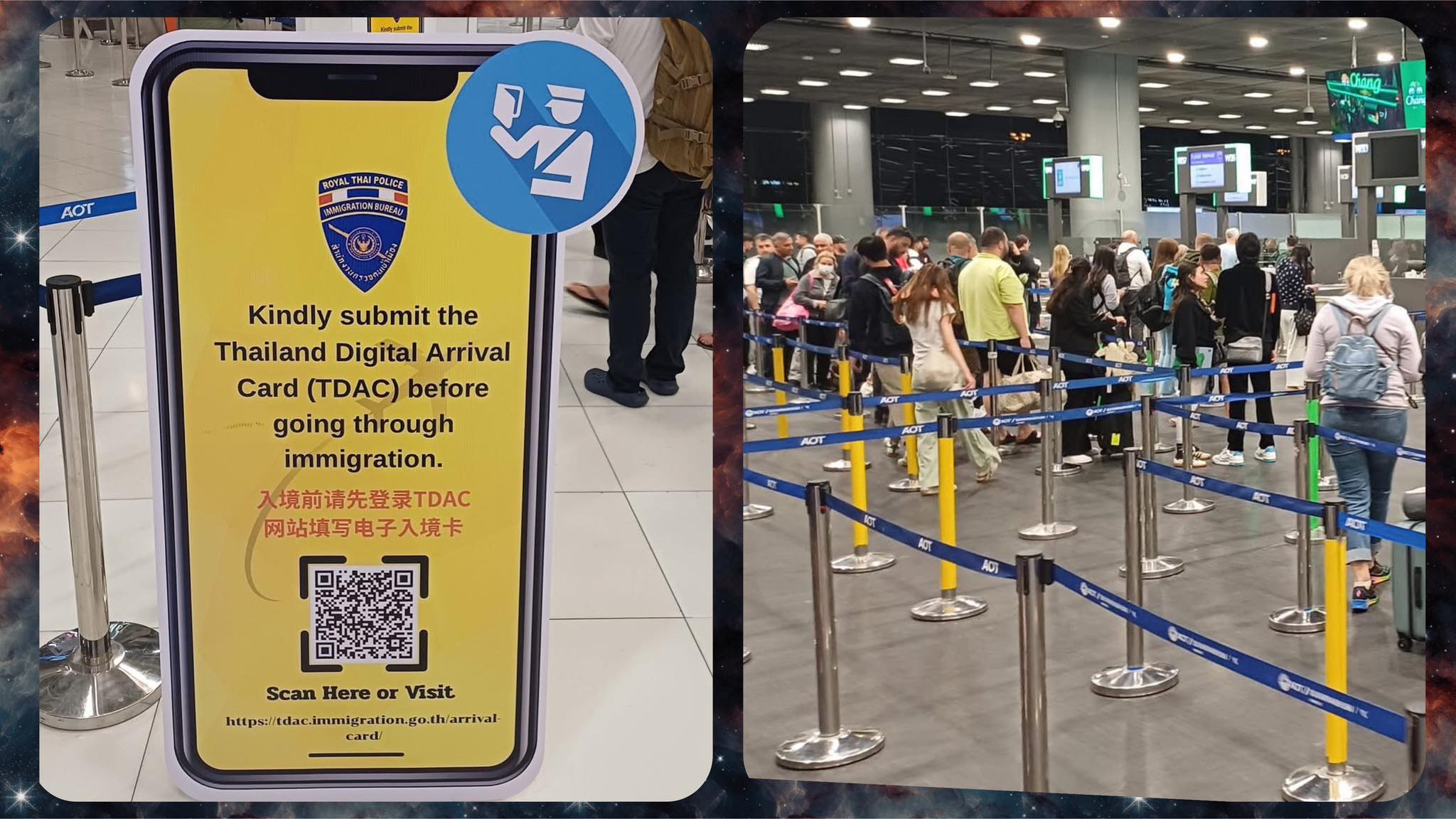
What’s different is the setup at the checkpoint itself. The five international airports have dedicated TDAC kiosks with staff on hand before passport control. Thai Immigration’s own FAQ doesn’t list equivalent kiosks at land border crossings or ports, so you can’t count on finding one, and you can’t count on a strong signal at a remote crossing either. The safest approach is to file your TDAC online before you set out, while you still have reliable wifi or mobile data, rather than planning to do it at the border.
- Land crossings. Follow the same 72-hour submission window and the same QR code confirmation process as an airport arrival. The immigration officer at the checkpoint checks your QR code the same way an airport officer would.
- Sea and cruise arrivals. Also follow the same rule. If you’re arriving in Thailand by boat, you still need a completed TDAC before you clear Thai immigration.
- Border Pass holders. This is the one entry-method-specific exception. The US Embassy in Bangkok’s official TDAC notice confirms that exceptions apply only to travelers transiting through Thailand without passing through immigration control, and to those entering on a Border Pass. A Border Pass is a separate bilateral document used for local cross-border movement in specific areas; it isn’t the document most tourists or expats use to enter Thailand.
Tip: If you’re planning a visa run or border run, file your TDAC before you leave home, not once you’re already at the crossing. Signal at land border checkpoints can be patchy, and unlike the five main airports, there’s no guaranteed staffed kiosk to fall back on.
Common TDAC Mistakes to Avoid
- Submitting outside the 72-hour window.
- Making a duplicate submission (only the most recent submission counts).
- Mistyping your accommodation address or passport details.
- Not checking the spam folder for the confirmation email.
What Happens at Immigration, and How to Fix a Mistake After You Submit
Whichever way you filed, online, through the THIM app, or at a kiosk, you arrive at the same step in the immigration line. Instead of handing over a filled-out paper card, you show your QR code confirmation, on your phone or printed, and the officer scans or checks it against your passport before stamping you in.
If you didn’t get your confirmation email: Thai Immigration’s TDAC FAQ says to contact the immigration officer at your entry checkpoint directly. They can look up your submission from there, so don’t panic if the email never shows up, even after checking spam.
Mistakes happen, especially with an address or a passport number typed on a phone keyboard. According to the official FAQ, you have two ways to fix a submitted TDAC before you arrive:
- Wrong accommodation address, flight number, or other correctable detail. Go back to tdac.immigration.go.th and use the “Update Arrival Card” function to fix it.
- Wrong name, passport number, nationality, or date of birth. These four fields can’t be updated once submitted. (Verified September 2026.) Submit a brand-new TDAC with the correct details instead; the system only treats your most recent submission as valid.
- Flight or hotel changed after you already filed. Same fix: update the existing form, or file a new one if the changed field can’t be edited.
- Submitted more than once by accident. No action needed. Thai Immigration’s system automatically keeps only your latest submission and disregards the earlier ones.
One more scenario worth knowing about: if you land without a smartphone or working internet, Thai Immigration’s own FAQ confirms that kiosks and Wi-Fi are provided on arrival, so you can still complete the TDAC before you reach the immigration counter.
Facial Recognition and Automated Gates at the Airport
Since late 2024, Airports of Thailand has rolled out a biometric facial-recognition system at six airports: Suvarnabhumi, Don Mueang, Phuket, Chiang Mai, Mae Fah Luang (Chiang Rai), and Hat Yai. Domestic passengers got access from November 1, 2024, and international travelers from December 1, 2024. (Verified September 2026.)
The idea is to let you move through the airport using your face instead of repeatedly showing your passport and boarding pass. You enroll once at the check-in counter or a self-service kiosk, give consent for the system to use your facial data and passport, and from there you can pass baggage drop and the boarding gate with a face scan.
Important: If you hold a long-stay visa, such as a work permit, BOI status, a marriage or spousal visa, or Long-Term Residence, immigration advisors recommend you avoid the automated biometric gates and use a staffed immigration counter instead. The automated lanes are built around short-stay, visa-exempt tourists, and a human officer is better placed to handle the stamps and extensions your visa depends on.
Separately, the Immigration Bureau runs its own Auto Gates at passport control. These are not the same as the airport facial-recognition gates. They read the chip in your e-passport and let eligible travelers clear immigration without waiting for an officer.
Suvarnabhumi is also opening those Auto Gate lanes to 31 more nationalities. The Immigration Bureau approved the expansion in principle in August 2026, with final sign-off expected by the end of that month.
Once it’s running, the newly eligible travelers should include:
- roughly 6.5 million more short-term visitors a year
- around 900,000 long-term visa holders
That would put about 53% of all arriving passengers within reach of the gates. The specific 31 nationalities haven’t been announced yet.
This system is separate from the TDAC. Whichever lane you use, you still need to submit the Thailand Digital Arrival Card online before you arrive. The facial-recognition gates speed up the airport journey, but they don’t replace your arrival card.
Frequently Asked Questions
Can One Person Submit for the Whole Family?
Yes, you can. After entering your personal information, just click “Add Traveler” to include family members or people traveling with you. However, as of now, up to 10 travelers can be added in one submission.
Is it possible to update the TDAC after it’s submitted?
Yes, you can do it at tdac.immigration.go.th. Click “Update Arrival Card” and you’ll be able to change your travel information. Please note that you can’t change your name, passport number, nationality/citizenship, or date of birth.
Do I still need to file a paper arrival card (TM6)?
No. Starting May 1, 2025, the TDAC completely replaces the TM6 form.
What happens if you forget to submit the TDAC before arrival?
You can still submit it at one of the TDAC kiosks available at the airport or do it on your phone.
Is the TDAC a Visa?
No, it’s not a visa. It’s just an arrival card and doesn’t replace a visa.
Do I need a TDAC if I’m entering Thailand by land or sea instead of by air?
Yes. Thai Immigration’s own guidance confirms that everyone entering Thailand by land, air, or sea must submit a TDAC. This includes travelers crossing at a land border checkpoint, such as during a visa run, and those arriving by boat or cruise ship.
Are Border Pass holders exempt from the TDAC?
Yes. The US Embassy in Bangkok’s official TDAC notice confirms that exceptions apply only to travelers transiting through Thailand without passing through immigration control, and to those entering on a Border Pass. A Border Pass is a separate local cross-border document, not something most tourists or expats use to enter Thailand.
What if I don’t have a smartphone or internet access when I arrive?
Thai Immigration’s TDAC FAQ confirms that kiosks and internet Wi-Fi are provided on arrival, so you can still complete the form before you reach the immigration counter, even if you couldn’t file it beforehand.
Can I reuse the same TDAC for more than one trip?
No. Each TDAC is valid for a single entry, on the arrival date you submitted. You need to file a new one every time you enter Thailand, even if your last entry was recent.
What if my flight or hotel changes after I’ve already submitted the TDAC?
Update it. You can correct most fields using the “Update Arrival Card” function at tdac.immigration.go.th, or submit a brand-new TDAC if the field can’t be edited. Thai Immigration’s system keeps only your most recent submission as valid.
Final Advice
The Thailand Digital Arrival Card is an important step when entering Thailand. It’s meant to help you get through immigration faster. Just remember these three key things:
- Submit your TDAC 2–3 days before your flight, or at the very least, while waiting at the airport for your flight to Thailand
- Double-check your passport number and travel details
- Print or screenshot your confirmation and keep it with you on your phone
Safe travels!
*If you don’t have travel insurance for Thailand yet, check out Genki Traveler. It’s an affordable travel insurance plan suitable for Thailand travelers. The plan comes with solid medical coverage, including for activities like Muay Thai, diving, and more. Read my review.
Sources Cited
- Thailand Immigration Bureau, TDAC official portal: https://tdac.immigration.go.th/arrival-card/
- Thailand Immigration Bureau, TDAC FAQ: https://tdac.immigration.go.th/manual/en/faq.html
- Ministry of Foreign Affairs, health control and vaccination requirements: https://www.mfa.go.th/en/publicservice/5d5bcc2615e39c306000a30d?cate=5d5bcb4e15e39c30600068d3
Related article: Thailand Visa and Immigration Updates



 Deutsch:
 Français:
'/%3E%3Cpath%20fill='%23b2b2b2'%20d='M241%20382q0%2016%2017%2026%2017%2011%2042%2011t42-11q16-11%2017-26V269H241'/%3E%3Cpath%20fill='%239f7e00'%20d='M241%20379q0%2014%208%2023%209%209%2021%209%2014%200%2021-9%209-9%209-23V269h-59'/%3E%3Cpath%20d='M241%20339v-70h59v110q0%2014-9%2023l-6%205v-68h-15v72q-8%200-14-4v-68zm59%2040c0%2022%2015%2032%2029%2032%2021%200%2030-18%2030-32v-40h-59'/%3E%3Cpath%20fill='%239f7e00'%20d='M266%20277v5h2v12h-3v-5h2v-5h-9v5h2v5h-4v9h3v18h-5v10h34v-10h-5v-18h3v-9h-4v-5h2v-5h-9v5h2v5h-3v-12h2v-5zm42%20101q0%2010%206%2017%206%206%2015%207%2010-1%2016-7%206-7%206-17v-29h-43'/%3E%3Ccircle%20fill='%230044ad'%20cx='329.5'%20cy='372'%20r='6'/%3E%3Cellipse%20fill='%230044ad'%20cx='300'%20cy='340'%20rx='16'%20ry='21'/%3E%3C/svg%3E) Español:
Español: